Sleep Recorder Apps for iPhone: 7 Compared on What They Keep
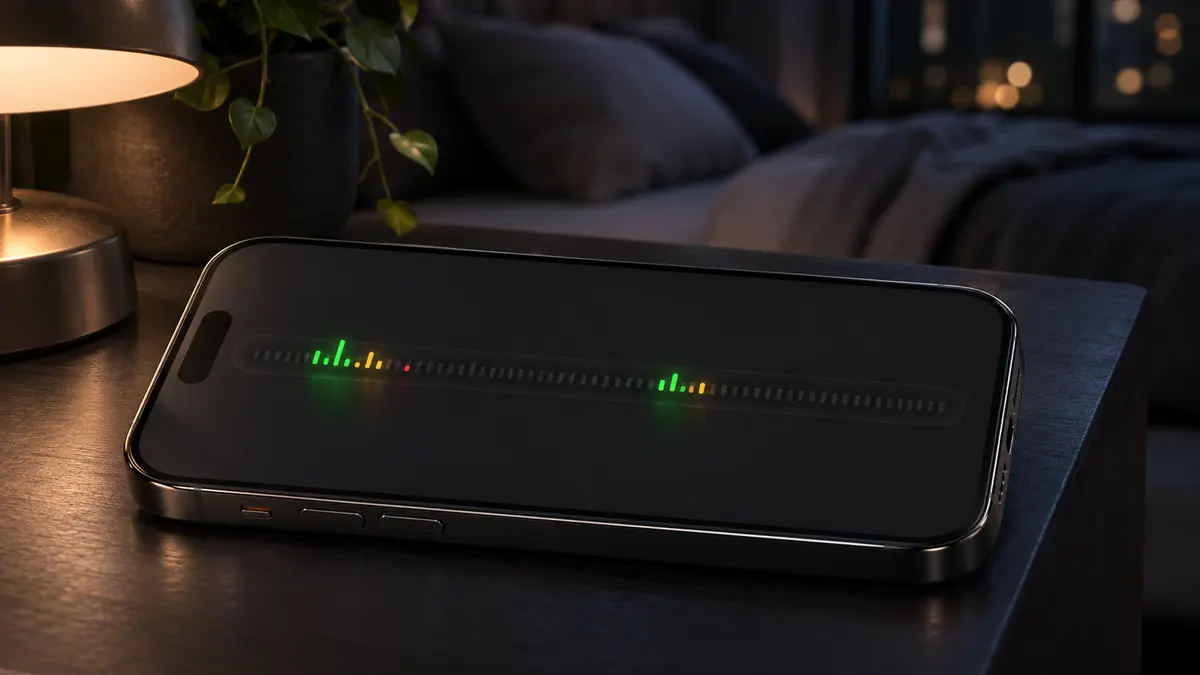
The best sleep recorder app depends on what you want to hear. For snoring with a score and a timeline, use a snore recorder such as Snorly or SnoreClock. For sleep talking alone, Sleep Talk Recorder and Dream Talk Recorder have done that job for over a decade. For sound plus sleep stages, pick a tracker such as Noxogy or Sleep Cycle. We make Snorly, one of the seven apps below, so every row cites its App Store listing.
- Sleep recorders use one of two designs: sound-triggered clips, or a recording of the whole night. SnoreClock records up to 11 hours; Snorly, Sleep Talk Recorder and Dream Talk Recorder save the moments with sound (App Store listings, November 2026).
- One-time prices start low: Dream Talk Recorder's full version and AutoSnore cost $4.99, SnoreClock $9.99 (US App Store, 4 November 2026).
- Dream Talk Recorder's free version stops at 2 hours of recording; Sleep Cycle's support page lists snore and sound detection under Premium.
- SnoreClock and AutoSnore carry the "Data Not Collected" privacy label (App Store, November 2026).
- No sleep recorder can diagnose sleep apnea. A microphone hears sound, not oxygen.
What does a sleep recorder app actually save?
A sleep recorder app saves either short clips or the whole night. Clip apps listen all night and keep only the seconds when something happens, so the morning review takes a minute. Whole-night apps keep everything and mark the likely events, so nothing is lost, but the file is long and takes more storage.
Each design fails in its own way. A sound trigger can miss a quiet mumble or save a passing truck. A whole-night file holds every sound, but you only benefit if the app points you to the right minute. For a first night, clips are enough. For checking a remedy, what matters is whether the app counts events the same way each night.
Seven sleep recorder apps side by side
| App | Best for | Keeps | Free part | Paid (US) | Privacy label |
|---|---|---|---|---|---|
| Snorly (ours) | Snoring, plus sleep talk and coughs | Detected clips; full night with Premium | Recording, playback of every clip, score, timeline, history, every night | $24.99 a year or one-time lifetime | Usage data used to track you; audio not listed |
| Sleep Talk Recorder | Sleep talking | Sound-triggered clips on a night timeline | Not listed; the paid item reads "Unlock all nights" | $3.99 to $29.99 options listed | Usage and crash data, not linked to you |
| Dream Talk Recorder | Sleep talking and snores | Sound-triggered clips | Up to 2 hours of recording | Full version $4.99 once | Identifiers and usage data used to track you |
| SnoreClock | Reviewing the whole night | Up to 11 hours, with snoring and other sounds marked | None; paid app | $9.99 once | Data Not Collected |
| AutoSnore | Snore stats without a subscription | Snoring and sleep sounds, sorted by type | None; paid app | $4.99 once | Data Not Collected |
| Noxogy | Sleep stages plus audio | Sleep audio, with an option to record only snoring | Basic recording; limits not listed | $19.99 a year, $5.99 a month, or full version $23.99 | Support data linked to you |
| Sleep Cycle | Smart alarm first | Snoring, coughing and sleep talk as tracked events | Tracking and smart alarm; snore and sound detection are Premium | $2.99 to $57.99 options listed | Name, email, coarse location and health data linked to you |
Prices are the in-app purchases on each US App Store page on 4 November 2026. Several apps list more than one price for the same plan, so yours may differ. "Audio not listed" means the label does not mention audio data.
We kept apps that are on sale in the US, run on iPhone, play the night's sound back, and had an update in the last 12 months. That removes Do I Snore or Grind, last updated in 2019. We also skipped dozens of new apps with a handful of ratings. Snorly, with 12 US ratings, stays only because we make it, which is one more reason to check its row yourself.
Which sleep recorder is best for snoring?
For snoring, use an app built around it, because the score, the timeline and the night-to-night count are what make a recording useful. Snorly, SnoreClock and AutoSnore all do this, and they differ mainly in how they charge and in what they keep.
Snorly (ours). Records when it hears snoring, sleep talking or coughing, puts each clip on a timeline with four loudness bands, and scores the night 0 to 100, higher is better. Breathing pauses and gasps are counted per hour and flagged as worth discussing with a doctor. Playback of every clip is free every night. Skip it if you want sleep stages or use Android.
SnoreClock. A one-time $9.99. It records the whole night, up to 11 hours, highlights likely snoring and marks talking, whispering and coughing. There is no registration and no cloud storage. Pick it if you want the full tape and refuse subscriptions.
AutoSnore. A one-time $4.99 from the team behind AutoSleep, with 4.3 stars from about 1,400 US ratings. It sorts sounds into snoring, talking, yawning and coughing, gives a "Snurk" score where lower is better, and lets you track remedies. It is the cheapest paid option here and syncs with AutoSleep.
For a wider comparison, see best snoring apps.
Which sleep recorder is best for sleep talking?
For sleep talking, the two veterans still do the job, and they are also the cheapest way to hear a few nights. Sleep Talk Recorder and Dream Talk Recorder both record only when sound triggers them, and each has about 2,700 US ratings. Snoring apps catch talking too, but as a side feature.
Sleep Talk Recorder. Lets you set sensitivity and filtering, then sorts clips on a night-by-night timeline. It has 4.3 stars and an update from October 2026. You can post your funniest clips to a public Sleep Talk Toplist, which is entertaining and worth thinking about first.
Dream Talk Recorder. It has 4.7 stars and a start delay, so it can begin recording 30 minutes after you go to bed. The free version covers up to 2 hours; the $4.99 full version removes that limit. Its privacy label lists identifiers and usage data used to track you.
Sleep talking is common: about two in three adults have done it at least once (Bjorvatn 2010). Our sleep talking app guide covers setup and what clips usually sound like.
Do sleep trackers record sound too?
Yes, many do, and a tracker makes sense when you want sleep stages or a smart alarm alongside the audio. The trade-off is depth and price: sound is one feature among many, and it often sits behind a subscription.
Noxogy, formerly Prime Sleep Recorder, has 4.5 stars from about 13,200 ratings. It adds sleep stages, a smart alarm and lifestyle factors, and has a one-click option to record only snoring. Its listing does not spell out the free limits.
Sleep Cycle has 4.7 stars from about 31,600 ratings and is a smart alarm first. Its support page places snore detection, sound detection and its partner-separating "Who's Snoring?" feature in Premium, so plan on paying to hear your nights.
BetterSleep, SleepWatch, Pillow and ShutEye also record night sounds as part of a wider sleep app. The SnoreLab alternatives page compares several of them.
Can you just use Voice Memos?
Yes. Voice Memos is free, is already on your iPhone and records the whole night. You get one long file with no markers, so you scrub through it by hand. That works for a single night of proof. It gets tedious on the second night, and it cannot compare two nights for you.
How to record yourself snoring covers the Voice Memos setup step by step.
Is it OK to record a partner while they sleep?
Tell them first. A bedroom recording captures everyone in the room, and a clip of someone talking in their sleep can be private or embarrassing. Laws on recording other people also differ by place. Most couples find the conversation easy once it is about snoring rather than blame.
If you share clips, check the destination. Some sleep talk apps publish clips to a public page, and a clip sent in a message can travel further than you meant.
- Decide what you want to hear: snoring, talking or the whole night. Pick one app from the table.
- Put the phone on the nightstand, 0.5 to 1 m from your head, plugged in, with Do Not Disturb on.
- Keep fans and air purifiers away from the microphone.
- In the morning, play the loudest moment first. If you had to pay to hear it, that tells you what the free part covers.
Hear your own snoring tonightSnorly records only when it hears snoring and plays it back in the morning. Free, no account, no night limit.
Download on the App StoreRelated questions
Is there an app that records you while you sleep?
Yes. Clip apps such as Snorly, Sleep Talk Recorder and Dream Talk Recorder save the moments with sound. SnoreClock records up to 11 hours. Sleep trackers such as Noxogy and Sleep Cycle add sleep stages to the audio.
What is the best free sleep recorder app?
For snoring, Snorly plays back every clip free every night, with no night limit. For sleep talking, Dream Talk Recorder's free version covers up to 2 hours. Voice Memos is free for a whole night, without any markers.
Does the iPhone record sleep sounds by itself?
No. iOS has no built-in sleep sound recorder, and the Health app's sleep tracking does not save audio. You need Voice Memos or a sleep recorder app, and the phone has to stay near the bed.
Which app records the whole night?
SnoreClock records up to 11 hours for a one-time $9.99. Snorly offers full-night audio with Premium. Voice Memos does it free as one unmarked file.
Can a sleep recorder detect sleep apnea?
No. Recorders hear sound, and sleep apnea is confirmed by measuring breathing and oxygen in a home sleep test or a lab study. A recording of snoring, silence and then a gasp is a good reason to see a doctor. See snoring vs sleep apnea.
Sources
- Sleep Talk Recorder. US App Store listing, id 391767653 (accessed 4 November 2026). https://apps.apple.com/us/app/id391767653
- Dream Talk Recorder. US App Store listing, id 445472628 (accessed 4 November 2026). https://apps.apple.com/us/app/id445472628
- SnoreClock - Do you snore? US App Store listing, id 673980122 (accessed 4 November 2026). https://apps.apple.com/us/app/id673980122
- AutoSnore: Snoring Recorder. US App Store listing, id 6746705608 (accessed 4 November 2026). https://apps.apple.com/us/app/id6746705608
- Noxogy: Sleep & Snore Tracker. US App Store listing, id 968720724 (accessed 4 November 2026). https://apps.apple.com/us/app/id968720724
- Sleep Cycle - Tracker & Sounds. US App Store listing, id 320606217 (accessed 4 November 2026). https://apps.apple.com/us/app/id320606217
- Sleep Cycle Support (accessed November 2026). Sleep Cycle Freemium vs. Premium Features. https://support.sleepcycle.com/hc/en-us/articles/206704909-Sleep-Cycle-Freemium-vs-Premium-Features
- Bjorvatn B, Grønli J, Pallesen S (2010). Prevalence of different parasomnias in the general population. Sleep Medicine. https://doi.org/10.1016/j.sleep.2010.07.011
Snorly is a snore recorder and tracker, not a medical device. It does not diagnose sleep apnea or any other condition. If you notice pauses in breathing, gasping or daytime sleepiness, talk to a doctor.