How to Record Yourself Snoring on iPhone: Memos vs App
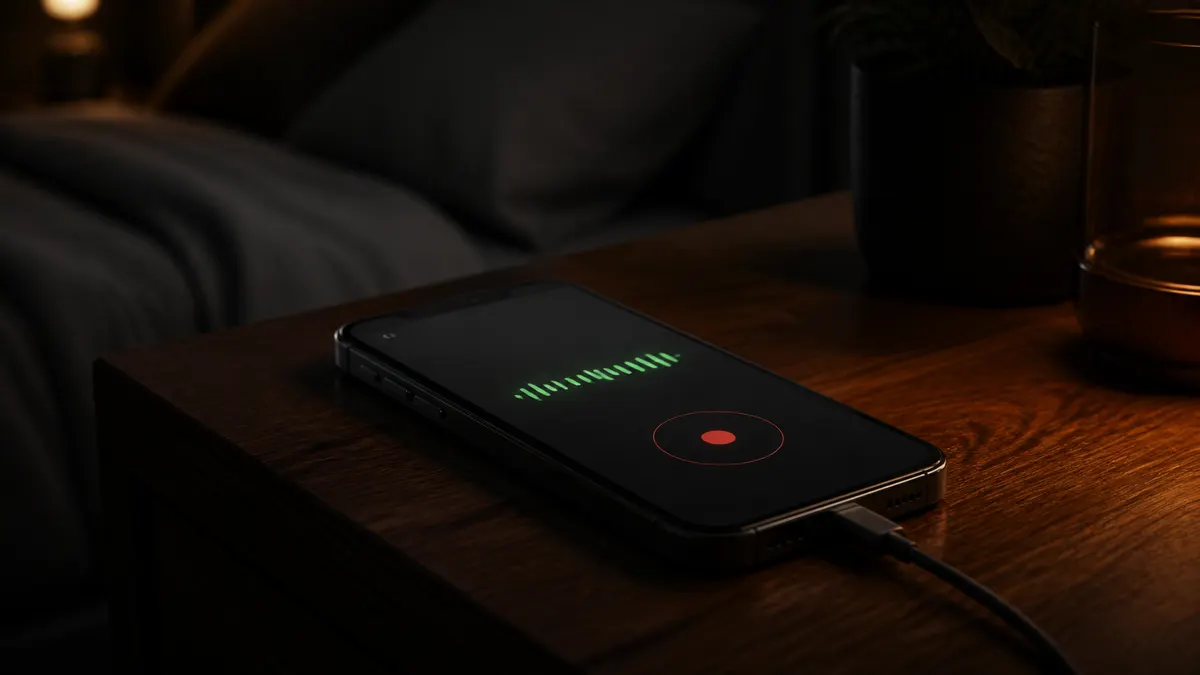
You can record yourself snoring on an iPhone tonight with the built-in Voice Memos app or a snore app. Put the phone on the nightstand about 0.5 to 1 m from your head, plug it in, turn on Do Not Disturb, and start recording before you turn off the light. Voice Memos gives you one 8-hour file to scrub through in the morning; a snore app records only the moments it hears snoring and shows them as clips on a timeline.
- An 8-hour Voice Memo at the default Compressed setting is roughly 200 to 250 MB, about 25 to 30 MB per hour; with Lossless on it is closer to 2 GB (user measurements; varies by iPhone model)
- A snore app stores only the seconds when snoring was detected, so a night is usually a few dozen short clips (our data)
- A whisper is about 30 dB and normal conversation about 60 dB, the range most snoring falls in (CDC)
- Clinic guides place the phone 2 to 3 feet from the head, level with the mattress, away from fans (Sleep & Sinus Centers of Georgia)
- Smartphone snore detection has been validated against lab sleep studies (Chiang 2021; JMIR 2025)
Can I use my iPhone to record my snoring?
Yes. The iPhone microphone picks up snoring easily from a nightstand, and both Voice Memos and third-party apps keep recording with the screen locked. You need no watch, no separate recorder and no account. Cleveland Clinic's advice for people who sleep alone is to "use an app or a noise-activated voice recorder that tracks your snoring".
Voice Memos vs a snore app: what you get in the morning
| Voice Memos | Snore app (Snorly as the example) | |
|---|---|---|
| What is recorded | The whole night, 8 hours of mostly silence | Only clips where snoring was detected |
| File size per night | About 200 to 250 MB compressed, up to 2 GB lossless | A few MB of clips |
| Morning review | Scrub an 8-hour waveform by hand, 15 to 30 minutes | Tap through clips on a timeline, 2 to 3 minutes |
| Loudness | None; you judge by ear | Each clip labelled Quiet, Light, Moderate or Severe by decibels |
| Night summary | None | 0 to 100 score, snore time, full-night timeline |
| Breathing pauses | You would have to notice a silent gap yourself | Pauses and gasps flagged as worth discussing with a professional |
| Sleep talk, coughs | On the file if you find them | Captured as separate clips |
| Cost | Free | Free every night; Premium only for full-night audio and remedy analysis |
| Privacy | Your phone, or iCloud if sync is on | Processed on the phone; recordings never leave it |
How do I record snoring with Voice Memos?
Open Voice Memos, tap the red button, lock the phone and go to sleep. Recording continues with the screen off. In the morning, tap stop and drag through the waveform looking for dense, regular bursts; snoring shows as evenly spaced bumps, breathing barely registers.
Set three things first. Plug the phone in. Turn on Do Not Disturb, because a notification sound lands on the recording, and use airplane mode if you can, since an incoming call can interrupt a recording. In Settings, Voice Memos, Audio Quality, leave Compressed on; it is enough for snoring and keeps the file small.
Do not listen from the start. Note the time you fell asleep, then jump to 90 minutes in and again at 3 and 5 hours.
How do I record snoring with a snore app?
Open the app, place the phone, tap start, lock the screen. Snorly listens all night and saves a clip only when it detects a snore, so the morning view is a timeline of clips with a loudness label on each and a nightly score from 0 to 100, where higher is a better night.
Before you start, tag the night: alcohol, a late meal, back sleeping, a nasal strip, mouth tape. After a few nights the app compares nights with and without each factor, which Voice Memos cannot do. Processing happens on the phone and nothing is uploaded. The first night is free to try, no account needed.
Where should I put the phone?
On the nightstand, 0.5 to 1 m from your head, roughly level with the mattress. Close enough to catch quiet snoring, far enough that a pillow or your arm does not muffle the mic.
- Screen down, or screen off with the mic unblocked. The primary mic sits on the bottom edge; do not point it at the wall.
- Plugged in.
- Do Not Disturb or Sleep Focus on. Alarms still ring.
- Fan, purifier and open window on the far side of the room, or off. Steady noise at 40 to 50 dB masks quiet snores and adds false detections.
- Same spot every night. A 2020 study that ran one snore app on three phone models found the phones did not agree exactly, so keep the phone and position fixed to compare nights.
If you share the bed, put the phone on your side, closer to you than to your partner. No phone app reliably tells two snorers apart; where the phone sits is your best tool.
What should I look for in the morning?
Three things: whether there is snoring at all, how loud the loudest clips are, and whether the sound stops and restarts with gasps. On a Voice Memo you find them by ear. In Snorly they are the clip count, the loudness labels, and any breathing pattern flags on the timeline.
For scale, a clip labelled Moderate or Severe is in the range a partner hears through a closed door. Snoring in steady runs is the ordinary kind; snoring with silent gaps of 10 seconds or more followed by a snort belongs in snoring vs sleep apnea. The snore score page explains what the nightly number can and cannot tell you.
Record three nights, not one; snoring varies with alcohol, congestion and which way you fell asleep. The 3-night test walks through reading the result. After that, record whenever you change something: four nasal-strip nights against three baseline nights is a result you can trust.
- Plug the phone in on the nightstand, 0.5 to 1 m from your pillow, screen down.
- Turn on Do Not Disturb or Sleep Focus; check the alarm still works.
- Move or switch off the fan. If you cannot sleep without it, keep it on the far side of the room every night.
- Start Voice Memos or a snore app, lock the screen, and note the time you turned off the light.
- In the morning, play the loudest clip or scrub to 90 minutes in, and write down what you heard.
Hear your own snoring tonightSnorly records only when it hears snoring and plays it back in the morning. Free, no account, no night limit.
Download on the App StoreRelated questions
How do I record someone else snoring?
Tell them first, then put the phone on their side of the bed with the same setup as above. Play the clips back together in the morning rather than presenting them as evidence. How to sleep when your partner snores covers doing this without a fight.
Is 40 dB snoring loud?
No. At 40 dB snoring is about as loud as a quiet library, above a whisper at 30 dB and well below conversation at 60 dB. It can still bother a light sleeper a foot away. Snoring at 60 dB and above is what most partners call loud.
Can an Apple Watch detect snoring?
No. Apple Watch has no snore feature. Series 9, Series 10 and Ultra 2 can send a Sleep Apnea Notification based on breathing disturbances measured by the accelerometer over 30 days, but they do not listen for or record snoring. For the sound you need a phone microphone.
Sources
- Apple Support (2025). Make a recording in Voice Memos on iPhone. https://support.apple.com/guide/iphone/make-a-recording-iph4d2a39a3b/ios
- CDC (2022). What Noises Cause Hearing Loss? https://www.cdc.gov/nceh/hearing_loss/what_noises_cause_hearing_loss.html
- Cleveland Clinic (2026). Snoring: Causes, Complications and Treatment. https://my.clevelandclinic.org/health/diseases/15580-snoring
- Chiang JK et al. (2021). Validation of snoring detection using a smartphone app (SnoreClock). PMC. https://pmc.ncbi.nlm.nih.gov/articles/PMC8857100/
- Figueras-Alvarez O et al. (2020). Snoring assessment with a smartphone app across three phone models. PMC. https://pmc.ncbi.nlm.nih.gov/articles/PMC8034225/
- JMIR (2025). Smartphone-based snore detection compared with polysomnography. PMC. https://pmc.ncbi.nlm.nih.gov/articles/PMC11970566/
- Dillard D, Sleep & Sinus Centers of Georgia (2026). Snoring App Accuracy: How Reliable Are Sleep Tracking Apps? https://sleepandsinuscenters.com/blog/snoring-app-accuracy-how-reliable-are-sleep-tracking-apps
Snorly is a snore recorder and tracker, not a medical device. It does not diagnose sleep apnea or any other condition. If you notice pauses in breathing, gasping or daytime sleepiness, talk to a doctor.